




Subscribe to your favorite ChaxIQ tool
Pick FormsIQ, MathIQ, TagsIQ, or ImageIQ. $49.99 per month per tool, with VideoIQ included.
Pick your ChaxIQ tool
$49.99 per month per tool. Includes up to 100 documents a month and access to VideoIQ. Choose a tool below to open its sign-up form.
Not sure yet? Sign up today and get a 14-day free trial.
Want to see the main features of each tool? Watch our Quickstart guides

FormsIQ: Make PDF forms accessible faster.
FormsIQ helps accessibility professionals remediate PDF forms with speed, accuracy, and confidence. Go from untagged fields to an organized tags tree in minutes, not hours.
- Automatic Annotation Detection finds untagged form fields and adds them to the tag structure.
- Order Detection Algorithm places each field and its label in order. You verify, or adjust if needed.
- Faster Tooltip Creation applies verbs like Enter, Select, and Choose to tooltips globally.
- Two Ways to Work lets you switch between synchronized PDF and table views.
$49.99 per month after your 14-day free trial. Fill out the form below, and we’ll email you a link to set up your FormsIQ subscription in just a few minutes.
FormsIQ Key features
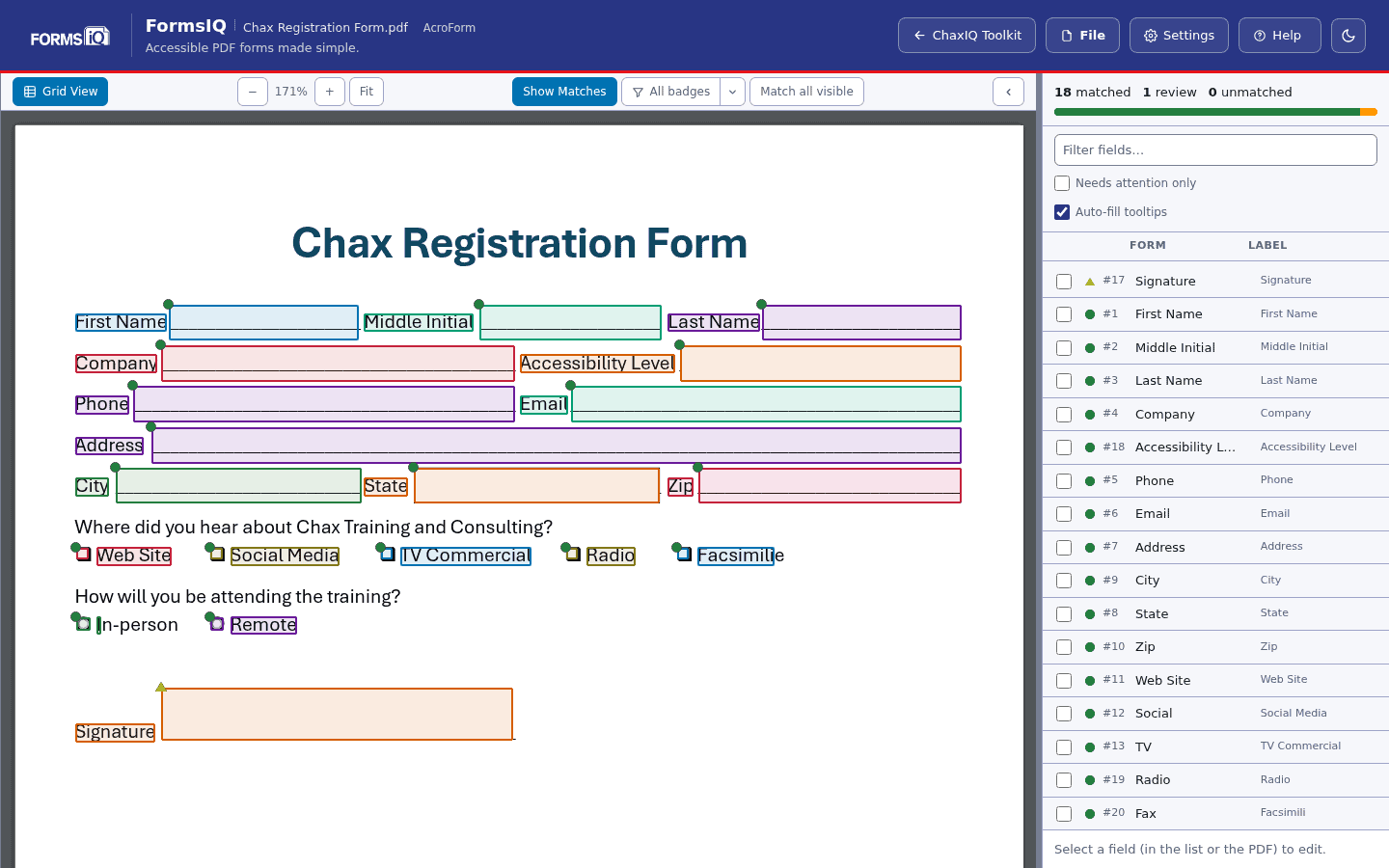
Every field matched to its label
On the page, each field and its label share a colour, and a badge shows how sure FormsIQ is of the match. The list beside the page shows what is matched, what needs review and what is unmatched.
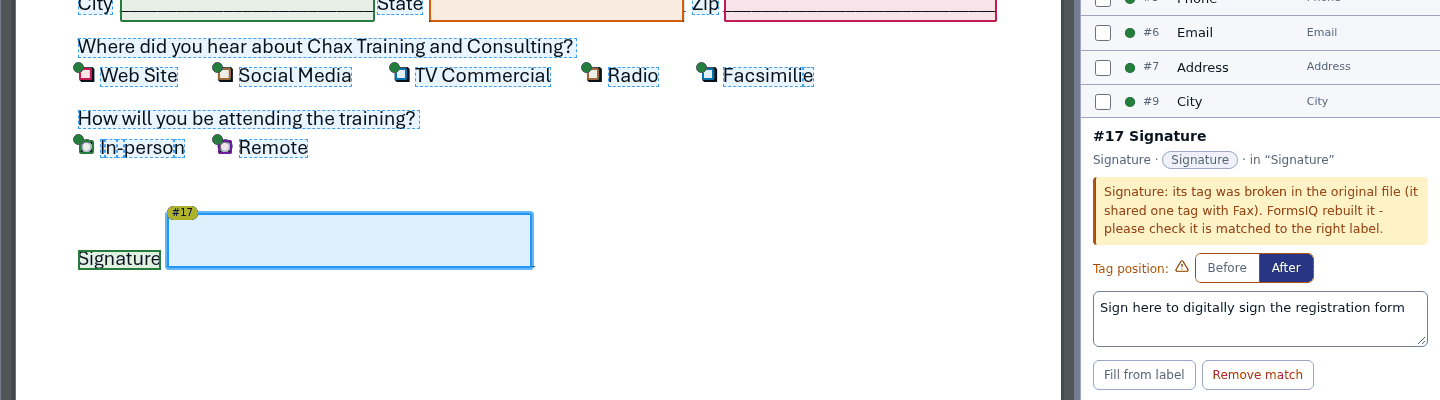
Broken tags found and rebuilt
When the original file tags two fields as one, FormsIQ rebuilds the tag and flags the field, so you check that match before anything else.
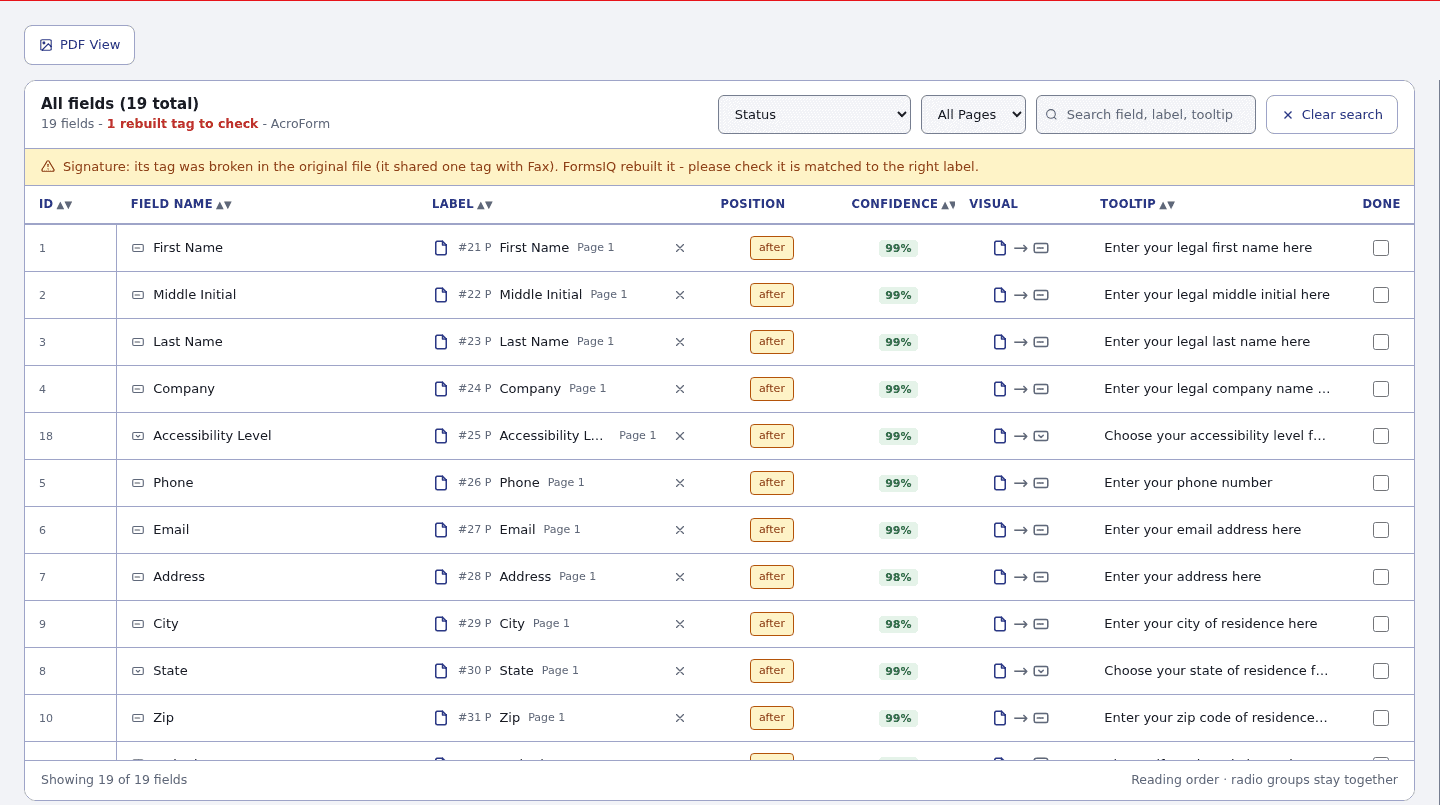
The whole form in one grid
Grid View lists every field with its label, position, confidence and tooltip, with filters by status and page, a search, and a Done column to tick off as you go.
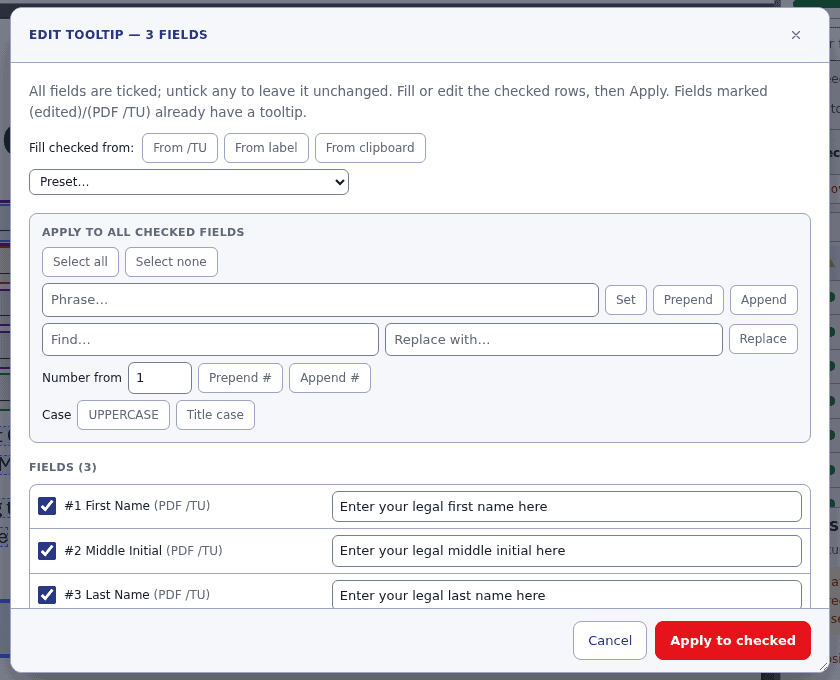
Tooltips for many fields at once
Tick several fields and set, prepend or append a phrase, find and replace, number them or change their case in one step, or fill them from their labels.
Not ready to subscribe? Request a demo of FormsIQ and see how it works on your own forms. Or choose a different tool.
MathIQ: Immersive, accessible math in a PDF.
MathIQ embeds MathML into your PDFs so students can explore every part of an equation, without you needing a PhD in document accessibility.
- Robust: students navigate equations at a granular level, not as one long description.
- Empowering: the experience is in the students’ hands, so they explore math at their own pace.
- Compatible: MathML for immersion, with alt text as a fallback.
$49.99 per month after your 14-day free trial. Fill out the form below, and we’ll email you a link to set up your MathIQ subscription in just a few minutes.
MathIQ Key features
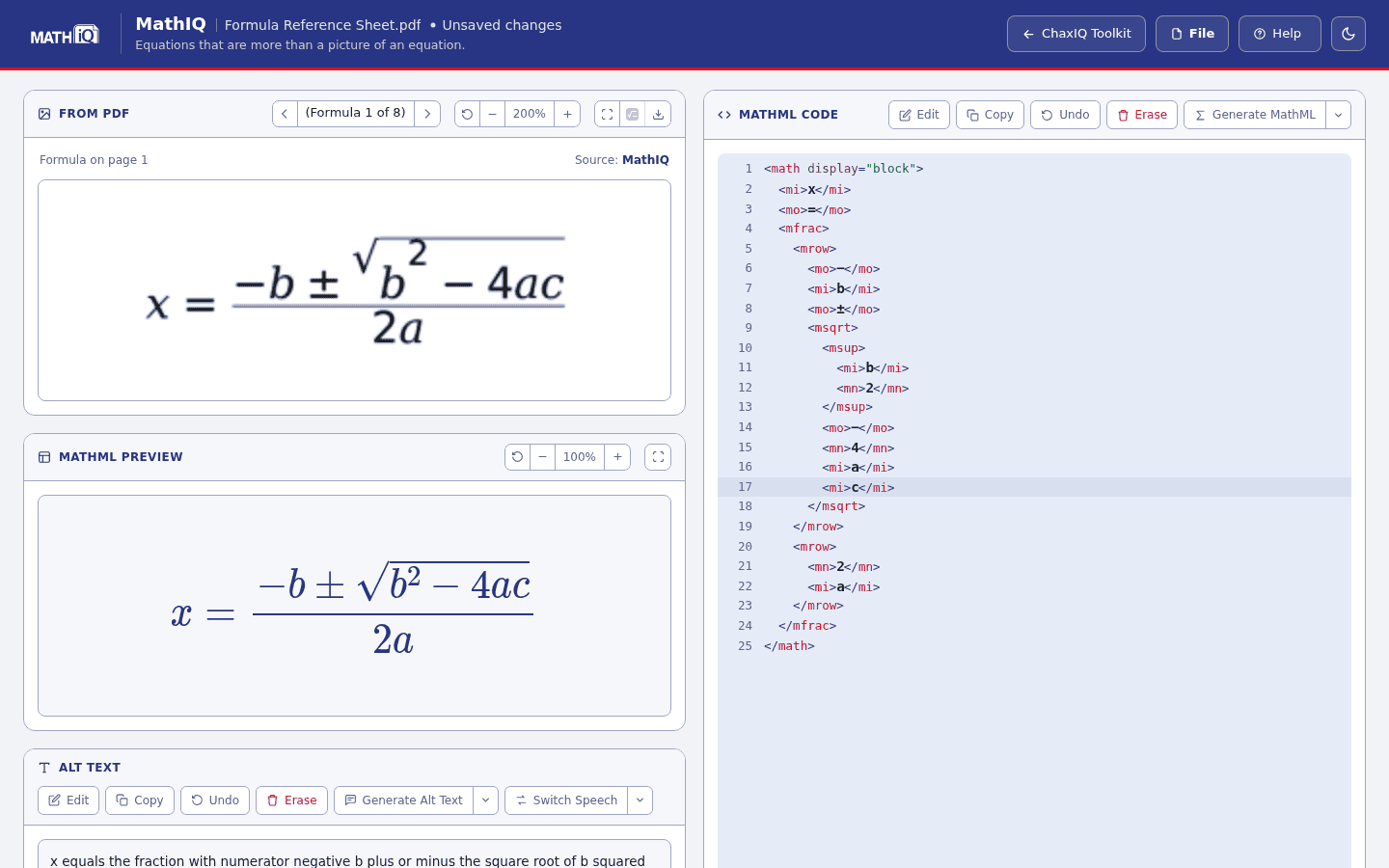
Check a formula at a glance
The formula as it appears in the PDF sits above the same formula drawn from its MathML. If the two pictures match, the MathML is right.
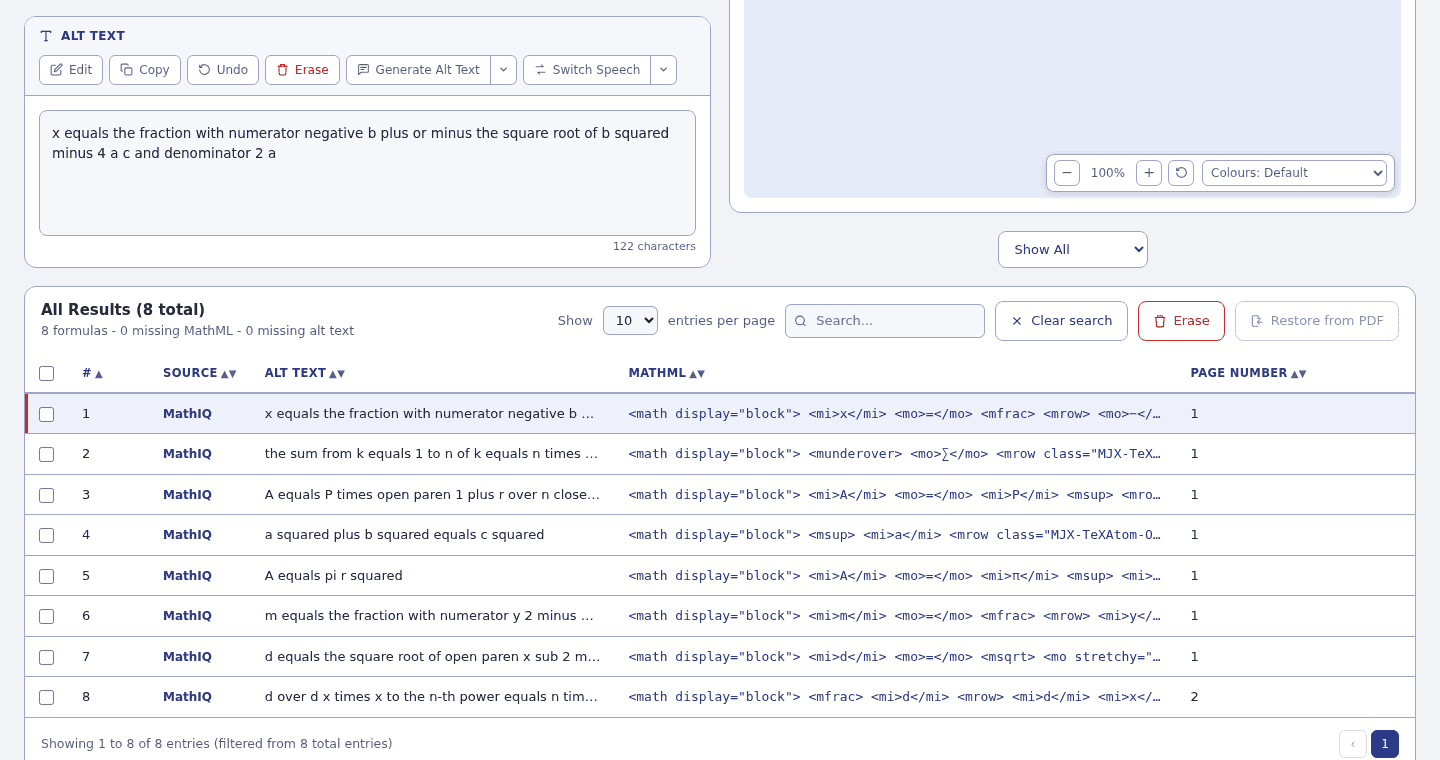
Every formula, written in one run
Generate MathML for one formula, a ticked set, or every formula still missing it. The table shows each formula’s alt text, its MathML and where it came from.
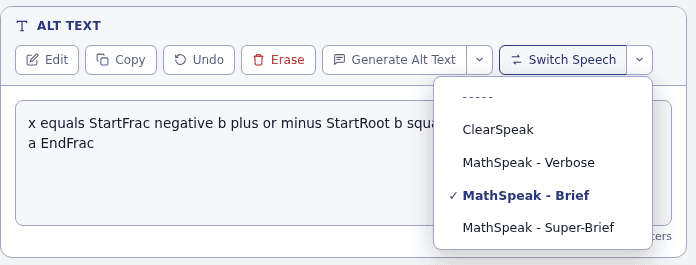
Choose how equations are spoken
ClearSpeak reads mathematics the way a person would say it. MathSpeak, at three levels of detail, makes clear where each fraction or exponent begins and ends. Switch afterwards in one step; alt text you typed yourself is left alone.
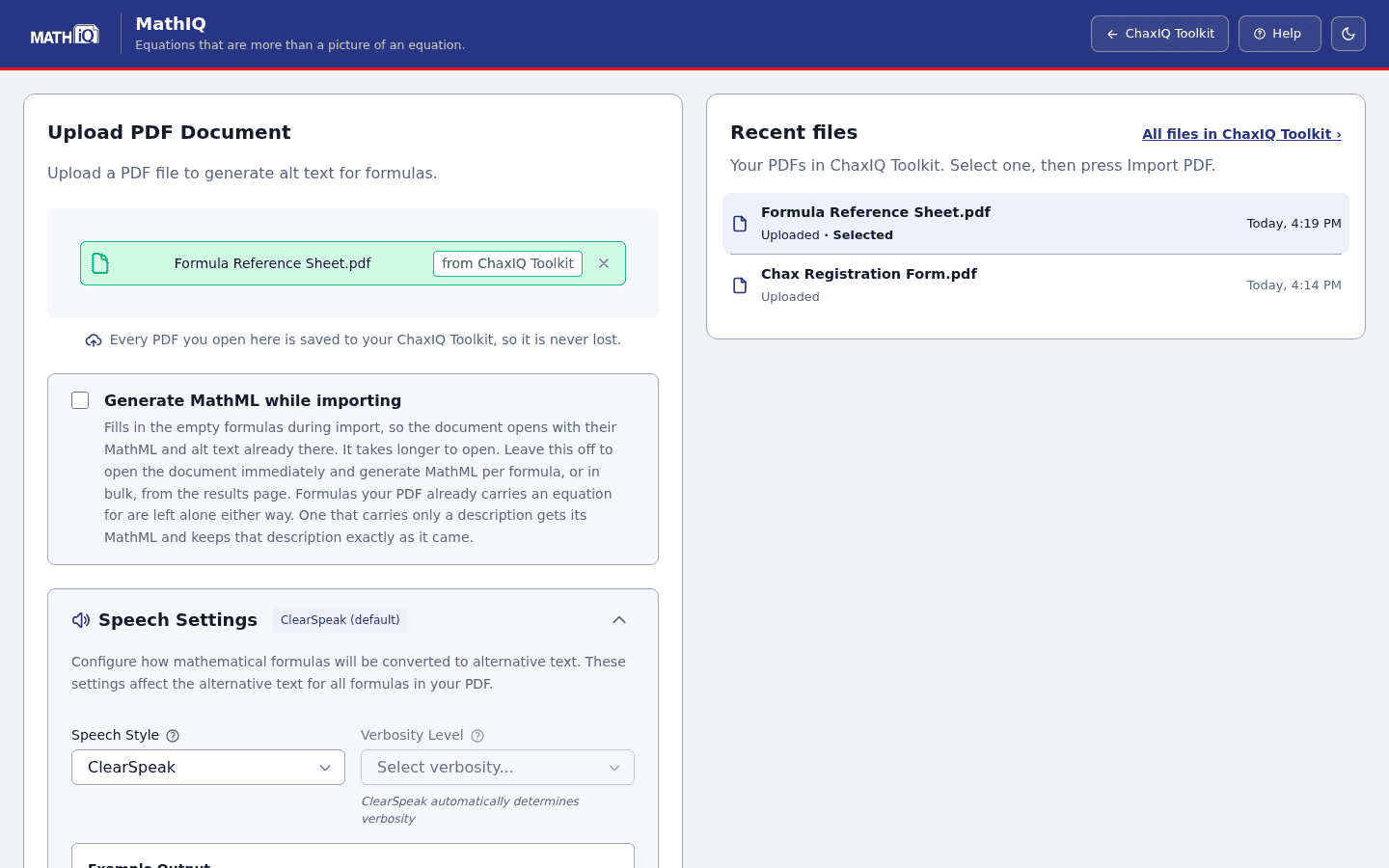
Open straight from your Toolkit
A PDF opened from the Toolkit arrives ready to import. Choose whether MathIQ writes every formula while importing, and how formulas should be spoken.
Not ready to subscribe? Request a demo of MathIQ and see what accessible math can look like. Or choose a different tool.
TagsIQ: Turn untagged PDFs into usable documents.
TagsIQ tags your PDFs automatically, using proprietary logic to build a clean, organized tags tree. Start remediation from a clean structure instead of an auto-tag mess.
- Clean Tag Structure builds a flat, organized tags tree, so you spend less time untangling auto-tag errors.
- Untagged or poorly tagged? Start from almost any PDF and make it significantly more usable.
- Finish-Line Ready lets you spend your time on the finishing touches toward PDF/UA and WCAG, not the cleanup.
$49.99 per month after your 14-day free trial. Fill out the form below, and we’ll email you a link to set up your TagsIQ subscription in just a few minutes.
TagsIQ Key features
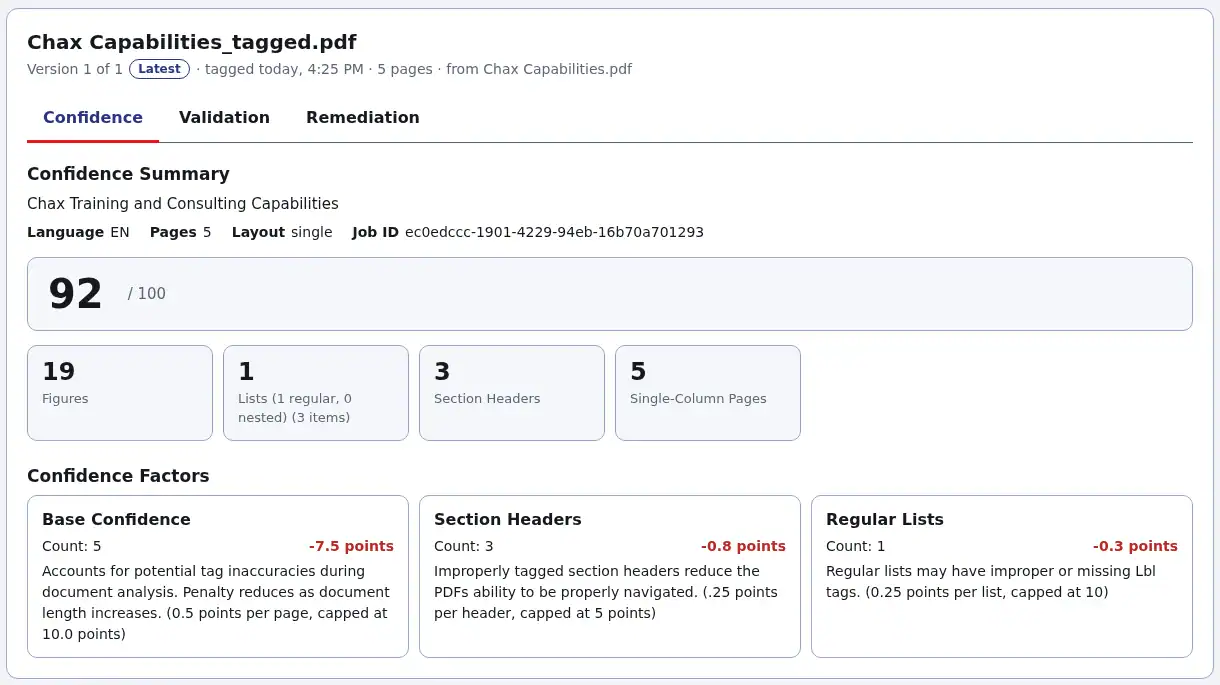
A queue that shows its work
Add PDFs and TagsIQ works through them. The queue updates by itself and shows each step as it happens.
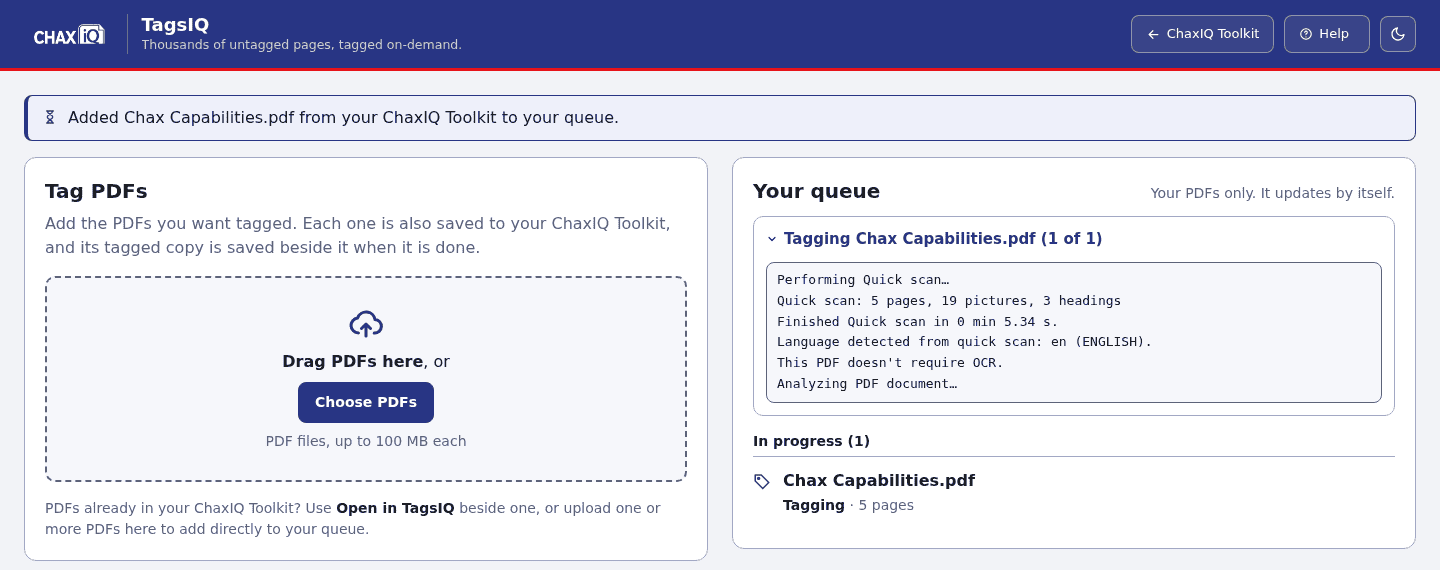
PDF/UA validation, before and after
The Validation report runs the PDF/UA check on the file before and after tagging: how much tagging improved it, the rules it fixed, and anything still to fix.
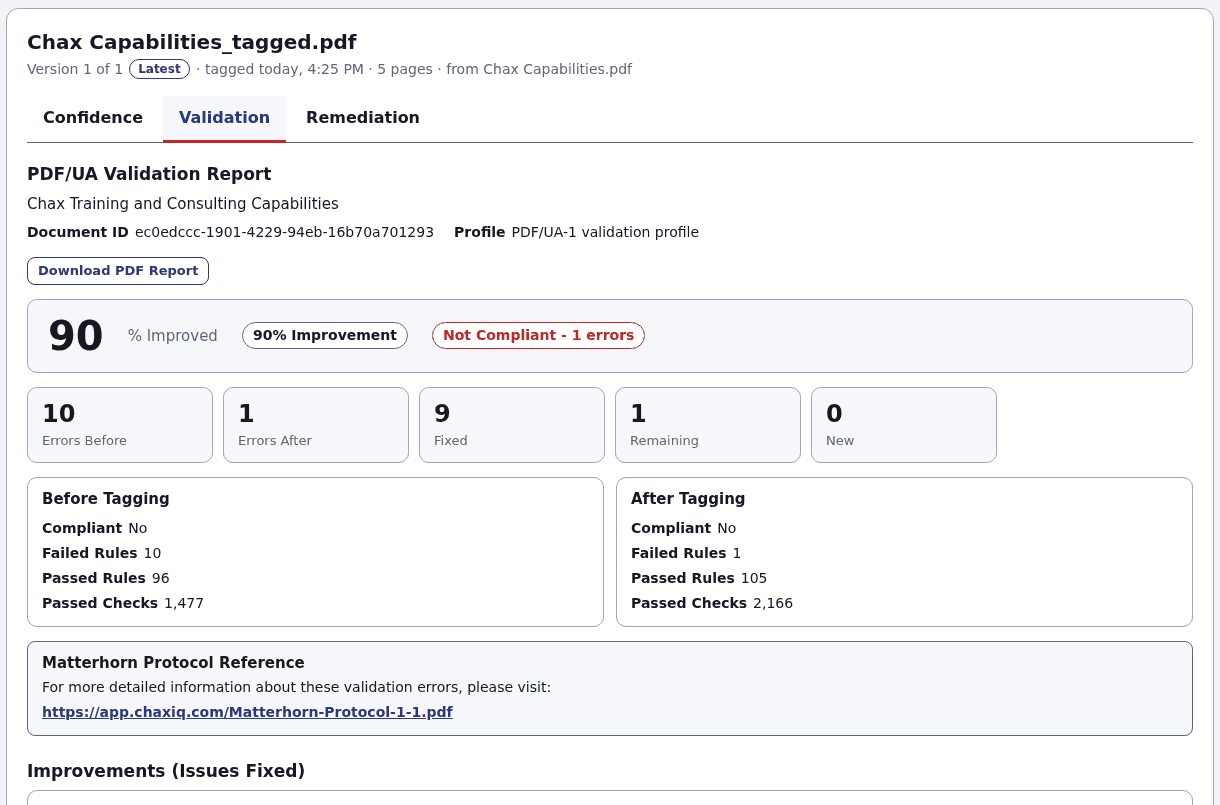
A confidence score for every tagging
The Confidence report scores the tagging out of 100, counts the structures it found, and shows each point taken off and why.
Not ready to subscribe? Request a demo of TagsIQ and see it tag one of your own PDFs. Or choose a different tool.
ImageIQ: Alt text for every figure, minus the busywork.
ImageIQ generates alt text for the figures in tagged PDFs and filters out redundant descriptions, so screen reader users hear what matters.
- Automatic Alt Text writes a description for each figure in a tagged PDF.
- Redundancy Filtering keeps repeat descriptions out of the reading experience.
- Built for Review lets you approve or edit every description before it goes into your file.
- Pairs with TagsIQ: tag first with TagsIQ, then add alt text with ImageIQ.
$49.99 per month after your 14-day free trial. Fill out the form below, and we’ll email you a link to set up your ImageIQ subscription in just a few minutes.
Key features
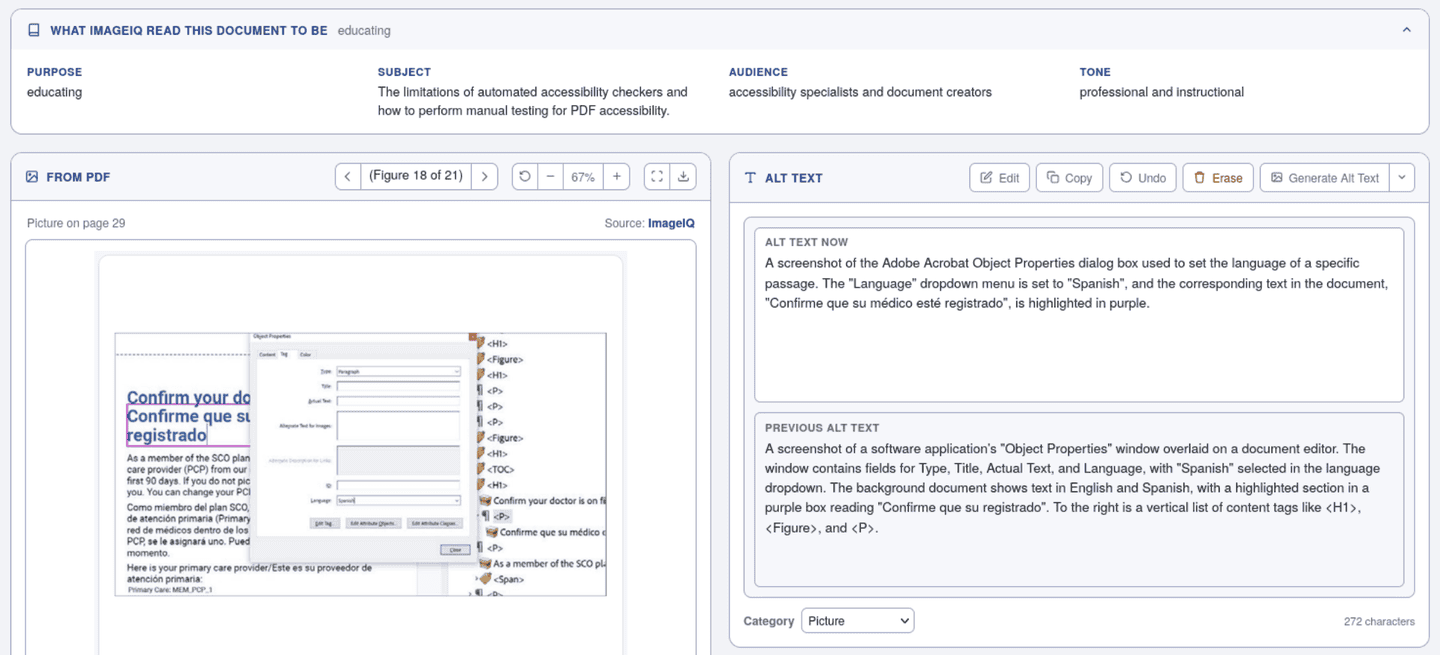
Descriptions written for this document
ImageIQ shows what it read the document to be, then writes for that reader. A chart is described by the data that matters most, not just as “a bar chart”.
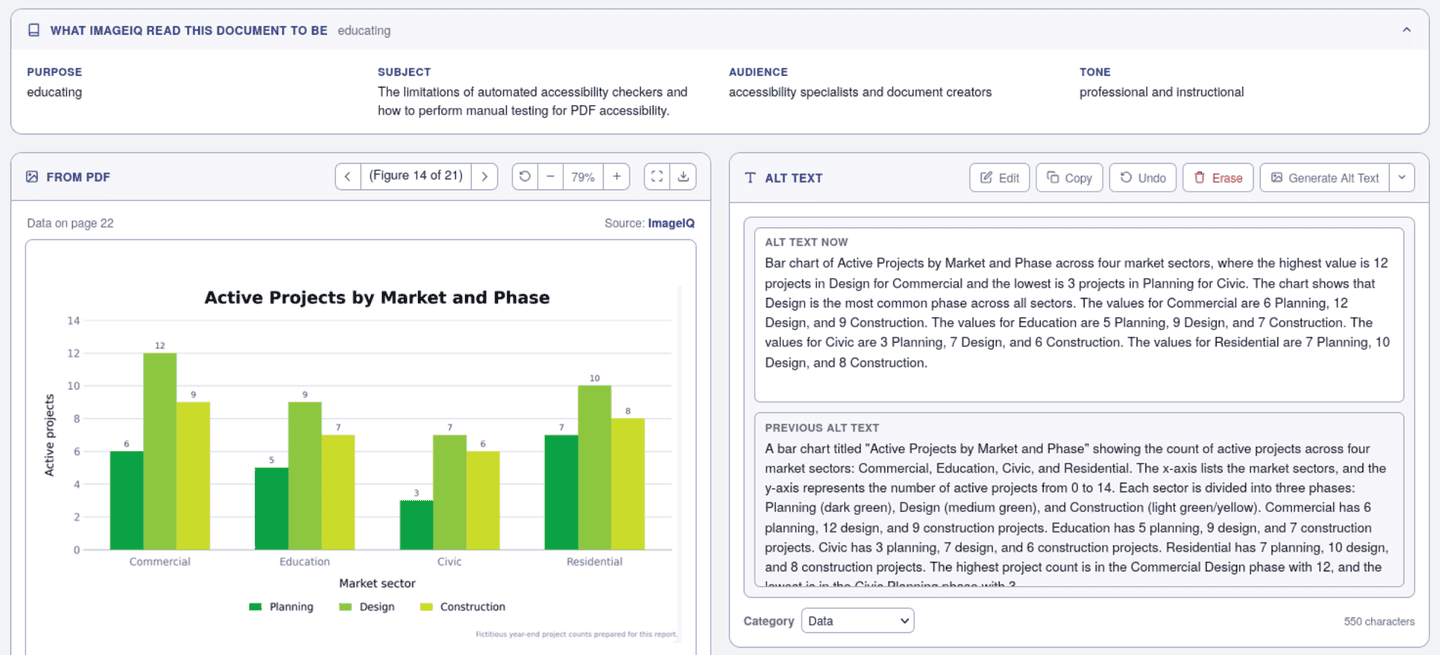
Check each description against the picture
Each figure is shown beside its new alt text and the alt text it had before, so you can compare them, edit, or undo a change.
Not ready to subscribe? Request a demo of ImageIQ and see the alt text it writes for your own figures. Or choose a different tool.
Not ready to subscribe yet?
Our team will walk you through any ChaxIQ tool using your own documents.